

National Digital Literacy Programme
National Digital Literacy Programme
1. National Digital Literacy Programme
2. Parent Handbook on 1 to 1 Learning
This parent handbook shares more information on how owning a personal learning device will enhance the child’s learning as well as some digital parenting tips, strategies and resources.
Parent Handbook on 1 -1 Learning
3. Students’ Experiences in the use of PLDs in Pilot Schools
What do parents think?
4. Queries and Feedback
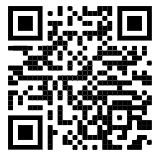
Send us your queries and feedback here, or scan the QR code below.
5. PLD (Personal Learning Device) Repairs and Technical Issues
If your child’s PLD is damaged or experiencing a technical issue, please contact Mr Imran (ICT Manager) at 8907 9165 to report the issue. An assessment of the situation issue will be carried out and we will advise on the appropriate next steps.
This applies to all PLD-related concerns, including:
•	Physical damage (cracked screen, damaged casing, faulty keyboard, etc.)
•	Hardware issues (battery, charging, power)
•	Software issues affecting the device’s functionality
Please note that repairs handled without prior notification to the school may affect your child’s eligibility for a temporary loan device during the repair period.
For any other ICT-related matters, you may also reach Mr Imran at the same number during school hours.
6. DMA Parent Guides
1) Click on the links below to access the guides:
DMA Parent Guide for Default Option Chrome Devices
DMA Parent Guide for Option A Chrome Devices
DMA Parent Guide for Option B Chrome Devices
2) Please click on the link below to choose your after-school DMA options:
Parent Option Form for After School DMA Settings
NOTE: DMA Options requests will only be processed on the first working day of the month.
7. DMA Hours 2026
Weekdays
| Default | Option A | Option B | |
|---|---|---|---|
| School Hours | 0700 - 1559 | ||
| After-School Hours | 0600 - 0659 | ||
| 1600 - 2229 | |||
| Sleep Hours | 2230 - 0559 |
Weekends / School Holidays
| Default | Option A | Option B | |
|---|---|---|---|
| School Hours | NA | NA | NA |
| After-School Hours | 0600 - 2229 | Whole Day | Whole Day |
| Sleep Hours | 0000 - 0600 | Parent-controlled | NA |
| 2230 - 2359 |
8. Student Self-Service Password Reset Guide
Students will now be able to perform a password reset on their own with the Student Self-Service Password Reset function in the MOE Identity Management System (MIMS) Portal.
Click here to view the guide.
9. Student Device Information Kit 2026
Click here to find out more about the Chromebook Persona Learning Device (PLD).